
Levant Bet works on a phone in two ways: through the browser or as a shortcut added to the home screen (PWA). No official store app is published, so any file shared under the name "app" deserves suspicion. This guide explains the setup, the permissions involved and the safety habits that matter. The platform is run from abroad and its address changes now and then, so build the shortcut only from a verified address. The content is for readers aged 18 and over.
- How Levant Bet Works on Mobile
- Adding the Home-Screen Shortcut (PWA)
- Installing the Android APK
- Using Levant Bet on iPhone and iPad
- Mobile Security Habits
- Common Mobile Problems
- FAQ
How Levant Bet Works on Mobile
The site adapts to the phone screen. Sports coupons, slots and live tables sit behind the same account, and the balance is shared between phone and desktop. The main advantage is speed of access; the main risk is that a small address bar hides fake domains. Take the address from the official channel and apply the checks on the current address page before you type a password.
Adding the Home-Screen Shortcut (PWA)
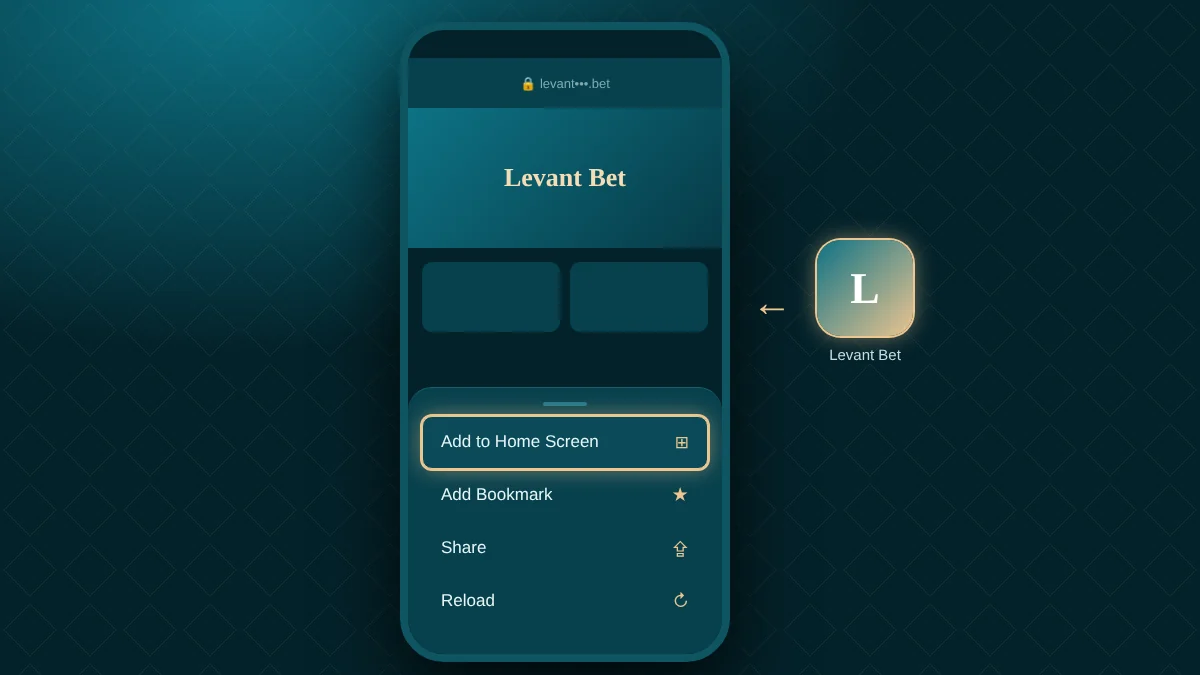
A PWA shortcut opens the site full screen like an app, installs no extra file, needs no store and can be removed in a second. The steps are nearly identical on Android and iPhone.
- Open the verified address in your phone's browser by typing it by hand.
- Open the browser menu: three dots on Android, the share icon on iPhone.
- Choose "Add to Home Screen".
- Confirm the shortcut name and add it.
- Tap the new icon and sign in to your account.
Installing the Android APK
An APK may be offered for Android, but download it only from the link in the brand's own channel. Files from third-party sites or private messages can contain malware. Installation needs the "unknown sources" permission; switch it on only for the installation and off again afterwards.
Compare the file name and size with the announcement and read every permission request. Refuse camera, contacts and location access, which a betting site does not need. When an update appears, remove the old version and install the new one from the same source. If you are unsure, use the PWA instead, because it adds no file. Keeping security software up to date is sensible as well.
Using Levant Bet on iPhone and iPad
APK files do not run on iPhone or iPad, so the route is a Safari shortcut. Open the site in Safari, tap the share icon and choose "Add to Home Screen". Turn on notifications and location only when you need them. System and Safari updates improve both security and layout.
Mobile Security Habits
Phone security rests on the device and the network. Use a screen lock and biometrics, do not leave the account signed in on shared devices and avoid public Wi-Fi for sign-in. If you use a password manager, check that autofill works only on the exact domain; on fake pages it usually stays empty. Read the full domain of any link in a message before tapping it. If the phone is lost, change your password from another device at once.
Common Mobile Problems
| Problem | Cause | Fix |
|---|---|---|
| Page will not open | Address changed or access blocked | Take the new address from the official channel |
| Shortcut fails | Old address saved | Delete it and add it again |
| Live table freezes | Weak connection | Switch to Wi-Fi and reload |
| Code does not arrive | Carrier delay | Wait a minute and request again |
If these fixes do not help, send live chat a screenshot and the time of the problem.
FAQ
Does Levant Bet have a mobile app?
There is no store app. Phones use the site in a browser or as a home-screen shortcut (PWA), and Android users may also be offered an APK from the official channel. iPhone and iPad have only the Safari shortcut. Files from other sources can be unsafe and should be avoided.
How do I add the PWA shortcut?
Open the verified address in your browser, choose "Add to Home Screen" from the menu and confirm the name. On Android the menu is the three dots; on iPhone it is the share icon. The shortcut opens full screen, and after an address change you must delete it and add a new one.
Is the Android APK safe?
Only a file downloaded from the link in the brand's own channel is reasonably trustworthy; other sources may carry malware. Read the permissions before installing, switch off "unknown sources" afterwards and choose the PWA if in doubt, because it needs no additional file on your phone.
What should I do if the address changes on mobile?
Take the current address from the official channel, delete the old shortcut and add a new one from the new address. Your account, balance and history stay the same. Typing the address by hand rather than tapping links protects you from look-alike pages, and an updated browser keeps the shortcut working.
Levant Bet is safest on a phone through the browser and a PWA shortcut, with the APK considered only when it comes from the official channel. Renew the shortcut after an address change, use a screen lock and avoid public networks. Small screens can hide fake domains, so read the full address each time. The platform is for adults aged 18 and over; if control slips, visit the responsible play page for free support.
This site contains affiliate links. Our ratings are independent of any commission we receive.